Shootable Triggers
Shootable Box Trigger
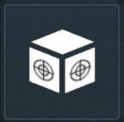
The Shootable Box Trigger will signal its outputs when taking damage.
Details
| Object | Category | |
|---|---|---|
 | Shootable Box Trigger | Volumes |
Inputs
 | Disable Volume | Disable the Trigger or Player Blocking Volume. |
 | Enable Volume | Enable the Trigger or Player Blocking Volume. |
 | Delete | Delete the object from the map. An object can't reset, respawn or otherwise reappear for the remainder of the match. |
 | Set Point Of Interest | Apply a POI icon to the object. |
 | Clear Points Of Interest | Remove any POIs that have been set. |
 | Make Visible | Make the volume visible to the player. The volume will be transparent. |
 | Make Invisible | Make the volume invisible to the player. The volume still functions, just can't be seen. |
 | Set Color | Set the RGB color value as specified in the input's properties. |
Outputs
 | On Damaged | Will fire anytime the trigger is damaged. |
| On Damage Threshold Reached | Will fire once damage threshold has been reached. |
Properties
| Property | Type | Description |
|---|---|---|
| Name | String | The name of this object. Rename an object to make it easy to identify. |
| Render Model | Enum | What render model to use. |
| Color | RGB | The red, green and blue components of the RGB color value. |
| Custom Filter | Grid Picker | Limits who or what can use this object. |
| Damage Threshold | Integer | Amount of damage to take before firing an event. |
| Reset Damage Threshold | Boolean | If true, will start counting damage again once threshold has been reached. |
| Show on Start | Boolean | If true, this object will be visible when the map starts. |
| Size | XYZ Size | The dimensions of the object. |
Shootable Cylinder Trigger
The Shootable Cylinder Trigger will signal its outputs when taking damage.
Details
| Object | Category | |
|---|---|---|
| Shootable Cylinder Trigger | Volumes |
Inputs
| Disable Volume | Disable the Trigger or Player Blocking Volume. |
| Enable Volume | Enable the Trigger or Player Blocking Volume. |
| Delete | Delete the object from the map. An object can't reset, respawn or otherwise reappear for the remainder of the match. |
| Set Point Of Interest | Apply a POI icon to the object. |
| Clear Points Of Interest | Remove any POIs that have been set. |
| Make Visible | Make the volume visible to the player. The volume will be transparent. |
| Make Invisible | Make the volume invisible to the player. The volume still functions, just can't be seen. |
| Set Color | Set the RGB color value as specified in the input's properties. |
Outputs
| On Damaged | Will fire anytime the trigger is damaged. |
| On Damage Threshold Reached | Will fire once damage threshold has been reached. |
Properties
| Property | Type | Description |
|---|---|---|
| Name | String | The name of this object. Rename an object to make it easy to identify. |
| Render Model | Enum | What render model to use. |
| Color | RGB | The red, green and blue components of the RGB color value. |
| Custom Filter | Grid Picker | Limits who or what can use this object. |
| Damage Threshold | Integer | Amount of damage to take before firing an event. |
| Reset Damage Threshold | Boolean | If true, will start counting damage again once threshold has been reached. |
| Show on Start | Boolean | If true, this object will be visible when the map starts. |
| Size | XYZ Size | The dimensions of the object. |